Watercolor Floral Digital Patterns: Elevating Your Creative Projects
There is a distinct charm in the soft, bleeding edges of watercolor art. When translated into digital formats, these watercolor floral digital patterns offer a versatile and elegant solution for creators who want to add a touch of organic beauty to their work. Whether you are designing custom gift wrap, crafting personalized greeting cards, or creating eye-catching social media backgrounds, the right pattern can transform a mundane project into something memorable. However, not all digital assets are created equal. Understanding what to look for—and what to avoid—can save you time, money, and frustration.
Why Watercolor Florals Are a Top Choice for Designers
The appeal of watercolor floral designs lies in their versatility and aesthetic warmth. Unlike rigid geometric patterns or stark vector graphics, watercolor textures bring depth, movement, and a handcrafted feel to digital projects. This makes them particularly popular among small business owners, bloggers, and hobbyists who want their branding or personal creations to feel authentic and approachable.
For instance, if you are launching a boutique selling handmade soaps or candles, a delicate floral background on your product tags can significantly enhance perceived value. Similarly, educators might use these patterns to make lesson plans or classroom decorations more inviting. The key advantage is that these patterns bridge the gap between traditional artistry and modern convenience, allowing users to scale images without losing the nuanced texture that defines the medium.
Common Pitfalls in Choosing Digital Paper Packs
While the concept is simple, the execution often falls short. Many buyers rush into purchasing digital paper packs without evaluating critical technical details. Here are some frequent mistakes that can compromise your final output.
Ignoring Resolution and File Specifications
One of the most common errors is assuming that "digital" automatically means "high quality." Some sellers provide low-resolution images that appear pixelated when printed or enlarged. To ensure crisp results, especially for print-on-demand services or large-format displays, you need high-resolution files. A standard benchmark for professional-grade digital papers is a resolution of at least 300 DPI (dots per inch) at the desired print size. For example, a file sized at 2400 x 2400 pixels provides ample detail for most craft applications, including tumbler wraps and scrapbook pages, but it may not be sufficient for massive billboards without upscaling tools.
Advice: Always check the pixel dimensions and DPI before downloading. If the listing does not specify these details, assume they are insufficient for professional printing.
Overlooking Format Compatibility
Another oversight involves file formats. While JPEGs are widely supported and easy to use, they are lossy compression formats. This means that every time you edit and save a JPEG, you lose a bit of quality. For complex editing workflows, PNGs with transparent backgrounds are often preferred. However, for simple background usage, high-quality JPEGs are perfectly adequate. The issue arises when a seller promises "editable layers" but only delivers flattened JPEGs. Buyers expecting to isolate specific flowers from the background will find themselves stuck with a single-layer image.
Advice: Clarify whether the files are layered PSDs, flat JPEGs, or PNGs. Match the format to your intended workflow. If you just need a background, JPEGs are fine. If you need to cut out elements, look for PNGs or layered files.
Neglecting Color Profile Accuracy
Color consistency is crucial, yet often ignored. Screens display colors using RGB (Red, Green, Blue) light, while printers use CMYK (Cyan, Magenta, Yellow, Key/Black) ink. A vibrant pink flower on your monitor might appear duller or shifted in hue when printed. This discrepancy can be jarring, especially for wedding invitations or brand materials where color accuracy is paramount.
Advice: If you plan to print professionally, ask if the seller provides CMYK versions of the files. If not, expect some color shift and adjust your design accordingly. For screen-only use, RGB is standard and should look as intended.
Evaluating What’s Included in Your Purchase
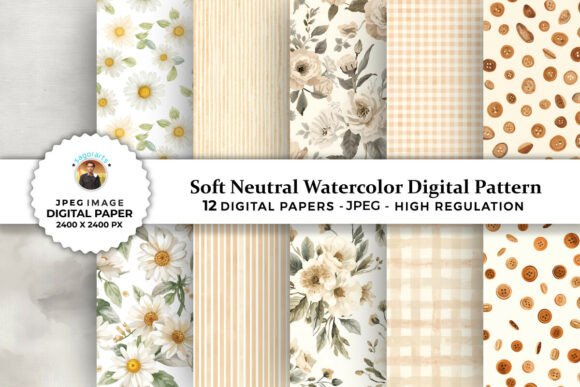
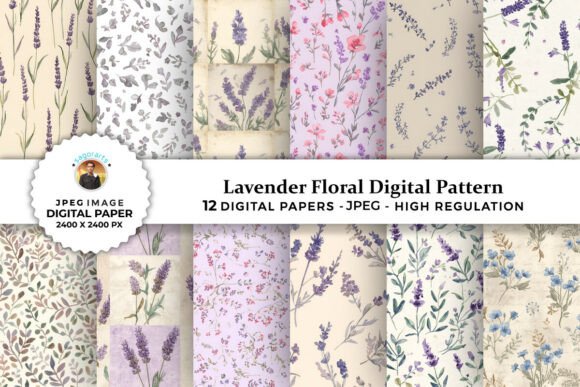
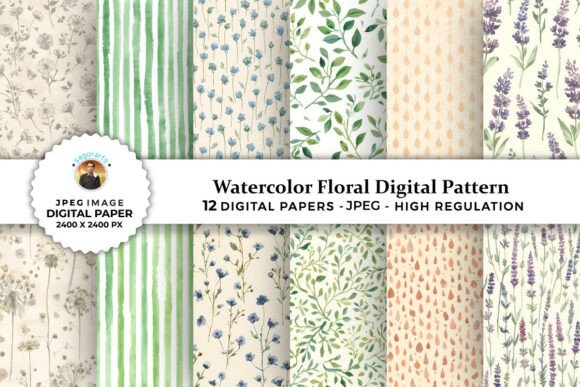
A well-curated digital paper pack should offer variety and coherence. Let’s look at a typical high-quality offering to understand what constitutes good value. Consider a package that includes 12 Digital Papers within 1 zip file. This quantity allows for enough variation to create diverse layouts without overwhelming the user. Each file being a High-Resolution JPEG ensures broad compatibility with software like Adobe Photoshop, Canva, Microsoft Word, and Cricut Design Space.
The specification of Files size 2400 x 2400 pixels is a sweet spot for many crafters. It is large enough to cover standard paper sizes (like 8x10 or A4) with room for cropping, yet small enough to keep file download times reasonable. Furthermore, having all files organized in a single zip file simplifies management, preventing the chaos of scattered downloads.
Practical Applications Beyond the Basics
While gift wrapping and greeting cards are obvious uses, the utility of these patterns extends further. Here are a few creative ways to apply these digital assets effectively:
- Tumbler Wraps: The seamless nature of many floral patterns makes them ideal for sublimation printing on tumblers. Ensure the pattern tiles seamlessly if you are covering a curved surface.
- Digital Scrapbooking: Use these backgrounds for digital journals. Pair them with clipart elements to create themed pages for family memories or travel logs.
- Social Media Templates: Create Instagram story backgrounds or Pinterest pins that stand out with soft, artistic textures. These patterns convey professionalism and care.
- Event Invitations: For weddings, baby showers, or birthday parties, watercolor florals set a tone of elegance and celebration. They work beautifully as borders or full-page backgrounds.
- Printable Planners: Add a floral header or weekly spread background to your digital planners to make organization feel less clinical and more enjoyable.
Final Checklist Before You Buy
To ensure satisfaction with your purchase of Watercolor Floral Digital Patterns, take a moment to review the following points:
- License Terms: Check if the license allows commercial use. Some packs are for personal use only, which restricts you from selling products made with them.
- Preview Quality: Look for zoomed-in previews to assess brushstroke detail and color blending. Blurry previews often indicate low-quality source files.
- File Organization: Ensure the seller provides clear instructions on how to unzip and access the files. Disorganized folders can lead to lost assets.
- Customer Support: In case of corrupted files or download issues, responsive support is invaluable. Choose sellers with positive feedback regarding service.
By paying attention to these details, you can avoid common pitfalls and select digital patterns that enhance your projects rather than hinder them. The goal is to find resources that are not only visually appealing but also technically robust, ensuring that your creativity shines through without technical interruptions. With the right 12 Watercolor Floral Digital Patterns, you have a powerful toolkit ready for any creative endeavor, from intimate handwritten notes to large-scale commercial prints.